Example 4: Three Rows
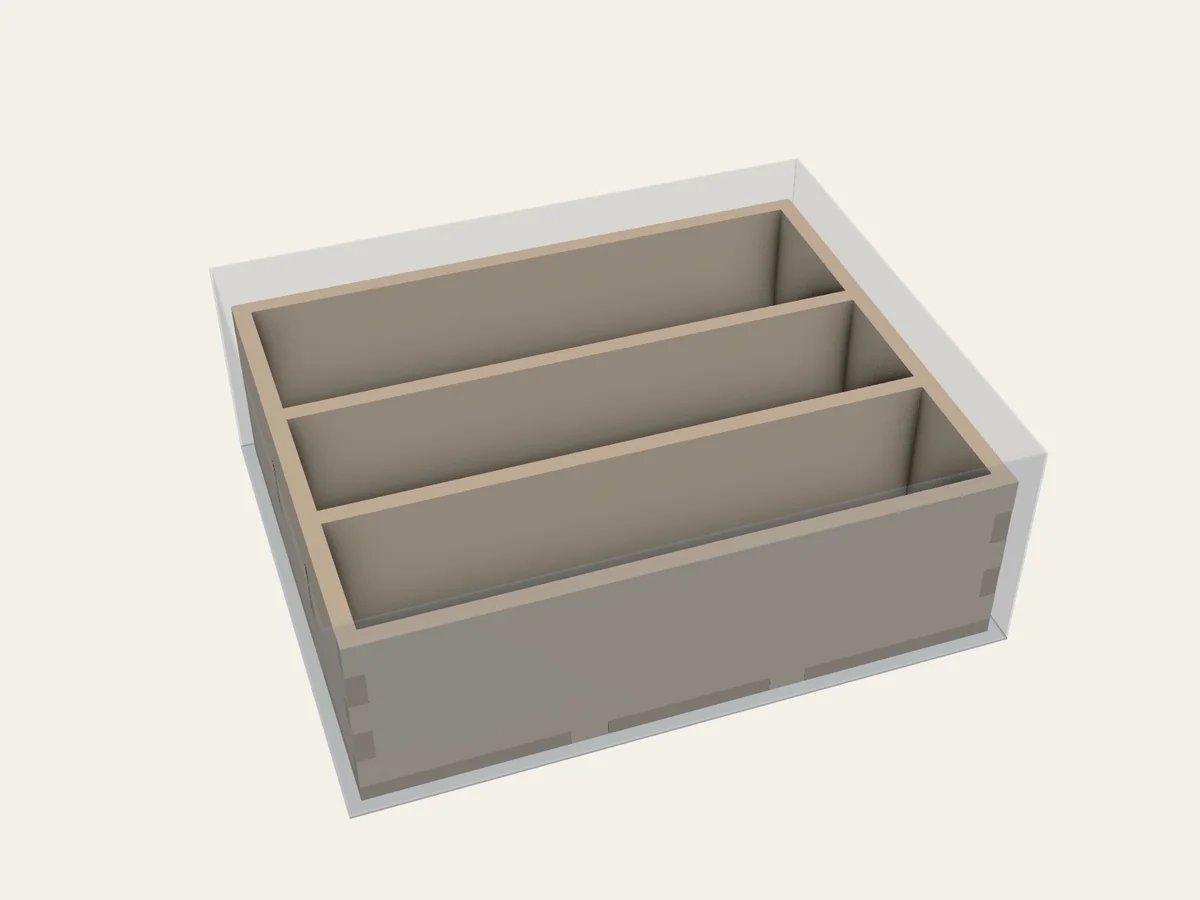
Two parallel dividers make three compartments from front to back.
BGI / EXAMPLE 04Dimensions in mm
What to notice in the project file
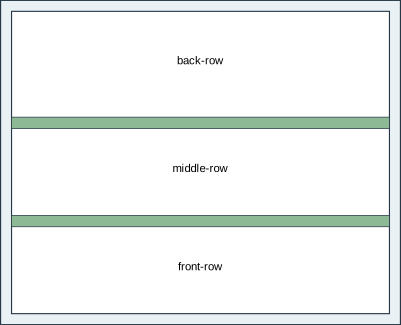
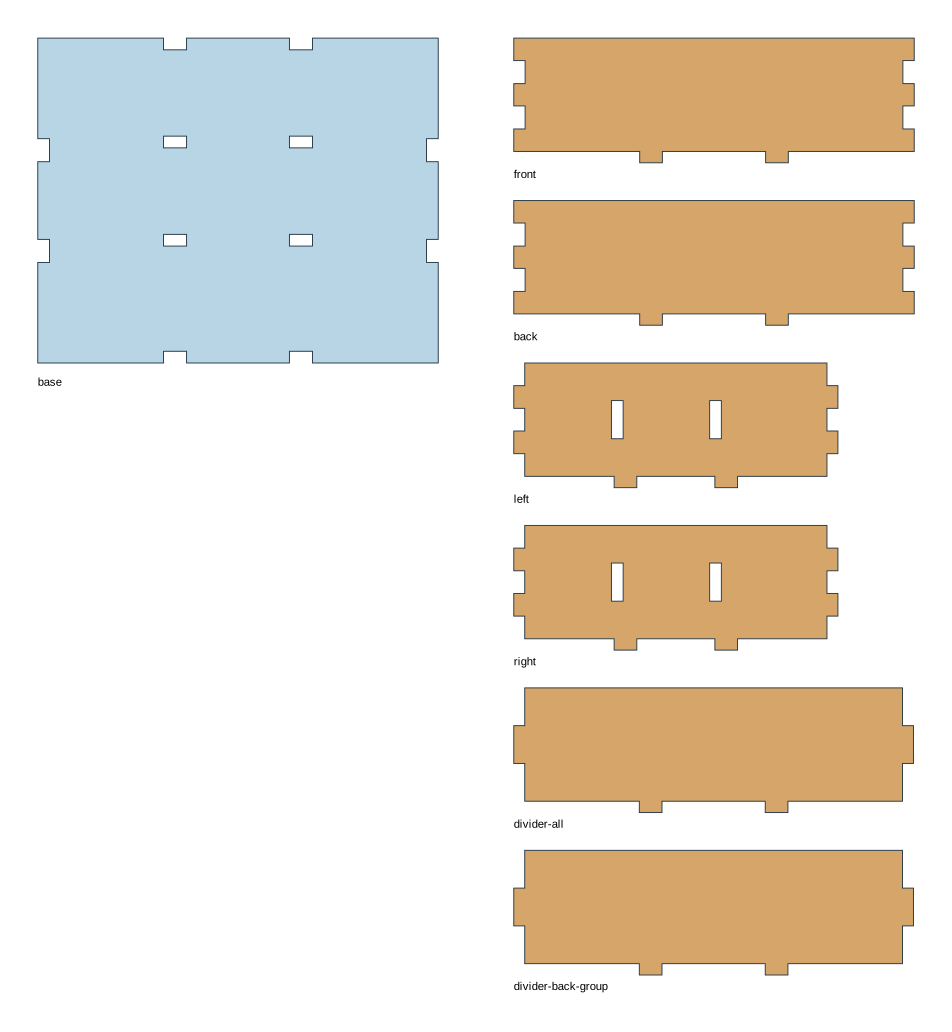
Section titled “What to notice in the project file”This section shows the walls and compartments BGI will make:
assemblies: - id: tray kind: grid construction: open_grid_box assembly: glue_allowed interior: id: all kind: split axis: y clear_mm: [100, 80, 30] first:Full project file
Section titled “Full project file”The shaded lines mark that section in the complete YAML. This is the same project file linked below.
schema_version: 1readme: "Two parallel dividers make three compartments from front to back."project: id: three-rows name: Three Rowsbox: inner_mm: [110, 90, 40] side_clearance_mm: [0, 0, 0, 0] top_reserve_mm: 0material: profile: de-mdf-3mm overrides: thickness_mm: 3 kerf_mm: 0.16 fit_clearance_mm: 0.10assemblies: - id: tray kind: grid construction: open_grid_box assembly: glue_allowed interior: id: all kind: split axis: y clear_mm: [100, 80, 30] first: id: front-row kind: compartment clear_mm: [100, 23, 30] second: id: back-group kind: split axis: y clear_mm: [100, 54, 30] first: id: middle-row kind: compartment clear_mm: [100, 23, 30] second: id: back-row kind: compartment clear_mm: [100, 28, 30]layout: mode: manual construction_mode: full_box placements: - id: tray origin_mm: [2, 2] rotation_deg: 0manufacturing: sheets: - id: stock size_mm: [300, 250] count: 1 material_profile: de-mdf-3mm sheet_margin_mm: 5 cut_gap_mm: 2 rotations_deg: [0, 90]Open 04-three-rows.bgi.yaml and save a copy if you want to edit it in your own folder. Follow Plan your own layout to validate and build it.