Example 2: Two Compartments
One divider creates two compartments for keeping different pieces apart.
BGI / EXAMPLE 02Dimensions in mm
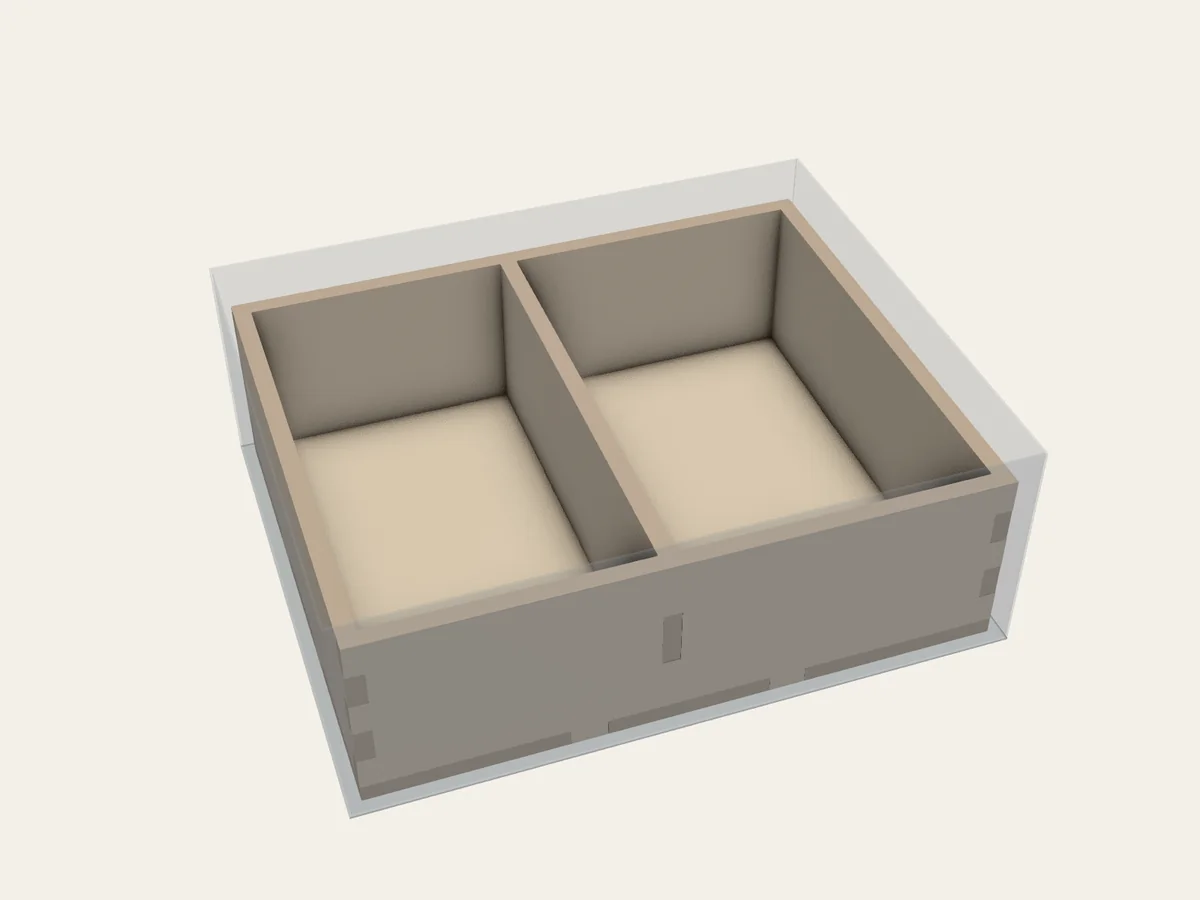
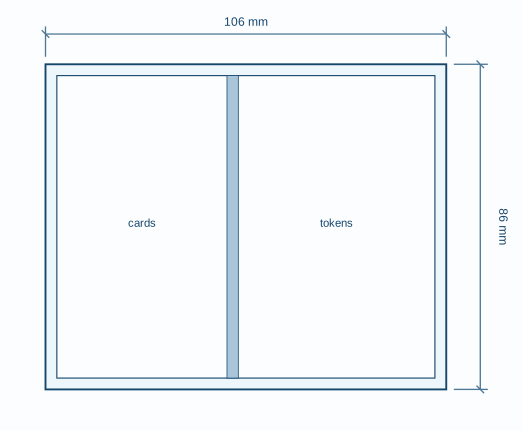
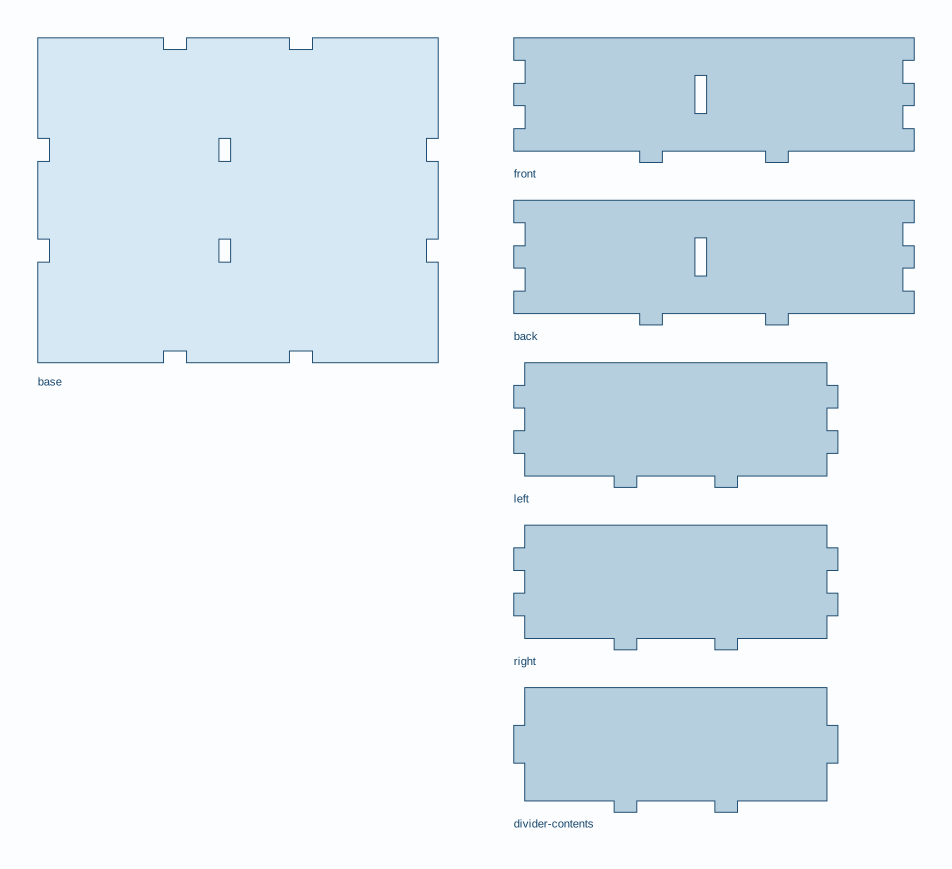
The translucent outer shell shows the game box interior. Translucent blue objects are existing containers.
What to notice in the project file
Section titled “What to notice in the project file”This section shows the walls and compartments BGI will make:
assemblies: - id: tray kind: grid construction: open_grid_box assembly: glue_allowed interior: id: contents kind: split axis: x clear_mm: [100, 80, 30] first:Full project file
Section titled “Full project file”The shaded lines mark that section in the complete YAML. This is the same project file linked below.
schema_version: 1readme: "One divider creates two compartments for keeping different pieces apart."project: id: two-compartments name: Two Compartmentsbox: inner_mm: [110, 90, 40] side_clearance_mm: [0, 0, 0, 0] top_reserve_mm: 0material: profile: de-mdf-3mm overrides: thickness_mm: 3 kerf_mm: 0.16 fit_clearance_mm: 0.10assemblies: - id: tray kind: grid construction: open_grid_box assembly: glue_allowed interior: id: contents kind: split axis: x clear_mm: [100, 80, 30] first: id: cards kind: compartment clear_mm: [45, 80, 30] second: id: tokens kind: compartment clear_mm: [52, 80, 30]layout: mode: manual construction_mode: full_box placements: - id: tray origin_mm: [2, 2] rotation_deg: 0Open 02-split-box.bgi.yaml and save a copy if you want to edit it in your own folder. Follow Plan your own layout to validate and build it.